
Blog
Blog
Tips for more Google Business Profile reviews

Evie van Rooij
Search marketeer
Published
30 October 2026
Reading time
7 min read
More and more companies try to present themselves online as better than they really are, for example by posting (or having others post) fake reviews. That is misleading, and the European Union has been actively cracking down on it since 28 May 2022. Since that date, publishing fake consumer reviews has been prohibited throughout the EU.
Companies now have to actively check whether reviews are genuine before displaying them. They are also obliged to inform consumers about how that review process works. Paid fake reviews? Those are no longer allowed.
Want to know how to collect more reviews for your Google Business Profile in an honest way? In this blog we show you how to easily encourage customers to leave a review, without any barriers.
Why are Google reviews important?
To give you a better idea of why Google reviews matter, we dug into the figures and consulted various sources. Research shows that 62-65 per cent of consumers trust online reviews as much as personal recommendations and that 93 per cent of consumers look up online reviews before visiting a business or buying a product. They are often the deciding factor and contribute positively to findability in today’s search algorithm.
Google reviews also provide:
Social proof: people are more likely to buy when they see that others have bought the product too and are happy with it.
Better findability in search engines: search engines value good content, so they are more likely to show a page with high ratings than one with low ratings.
Greater credibility: positive reviews increase consumers’ trust in your site. As a result, people are more likely to believe your website’s content.
Deciding factor: two thirds of shoppers would rather go for a product with good reviews than their own choice.
Higher revenue: the factors above result in more revenue.
Where can you find Google reviews?
Google reviews are displayed in two prominent places:
1. Within Google’s search results
If you search for a company name and the company has a Google Business Profile listing, you immediately see any reviews in the search results. If you google ‘Partout’, Partout’s Google Business Profile listing looks like this:
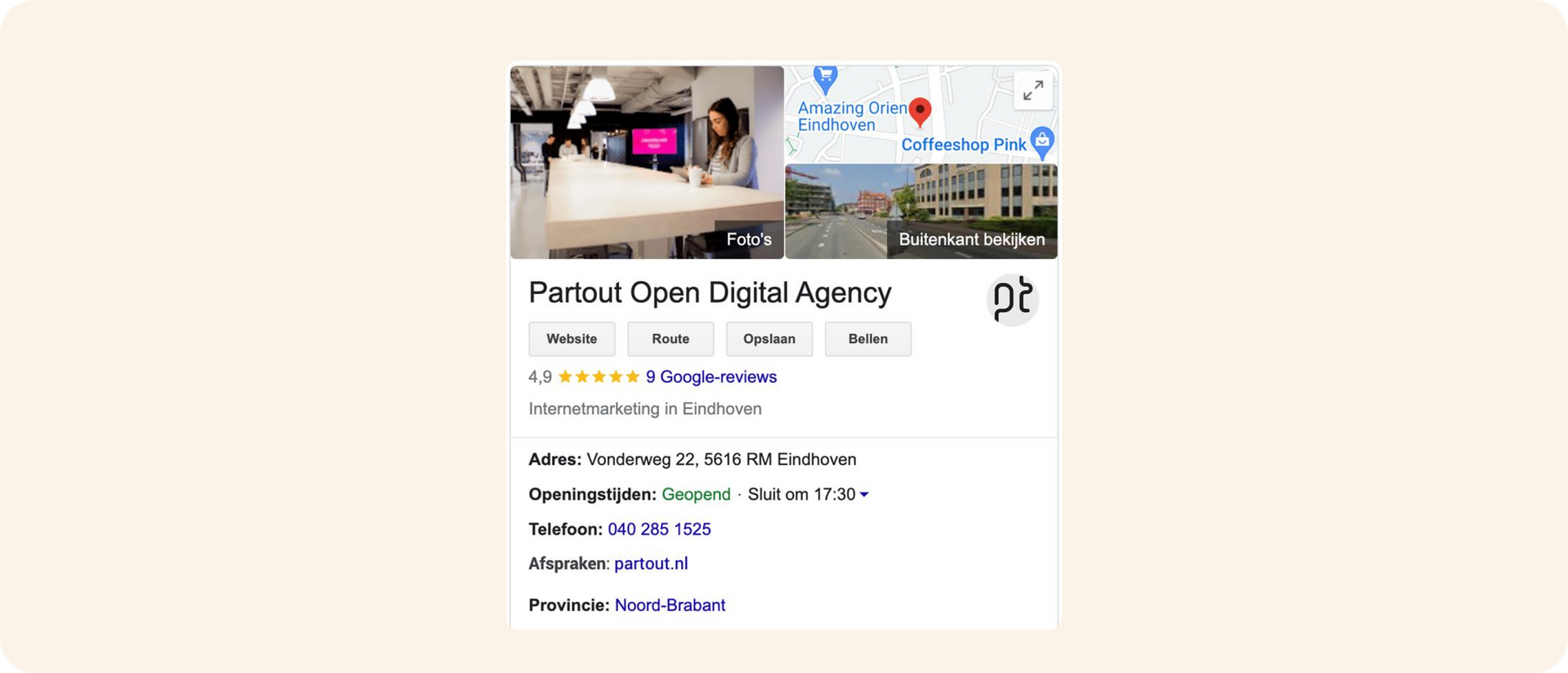
You can also find the reviews elsewhere in the search results, namely in the map listing. For example, if you’re looking for a digital design agency in Eindhoven, the following search results appear:
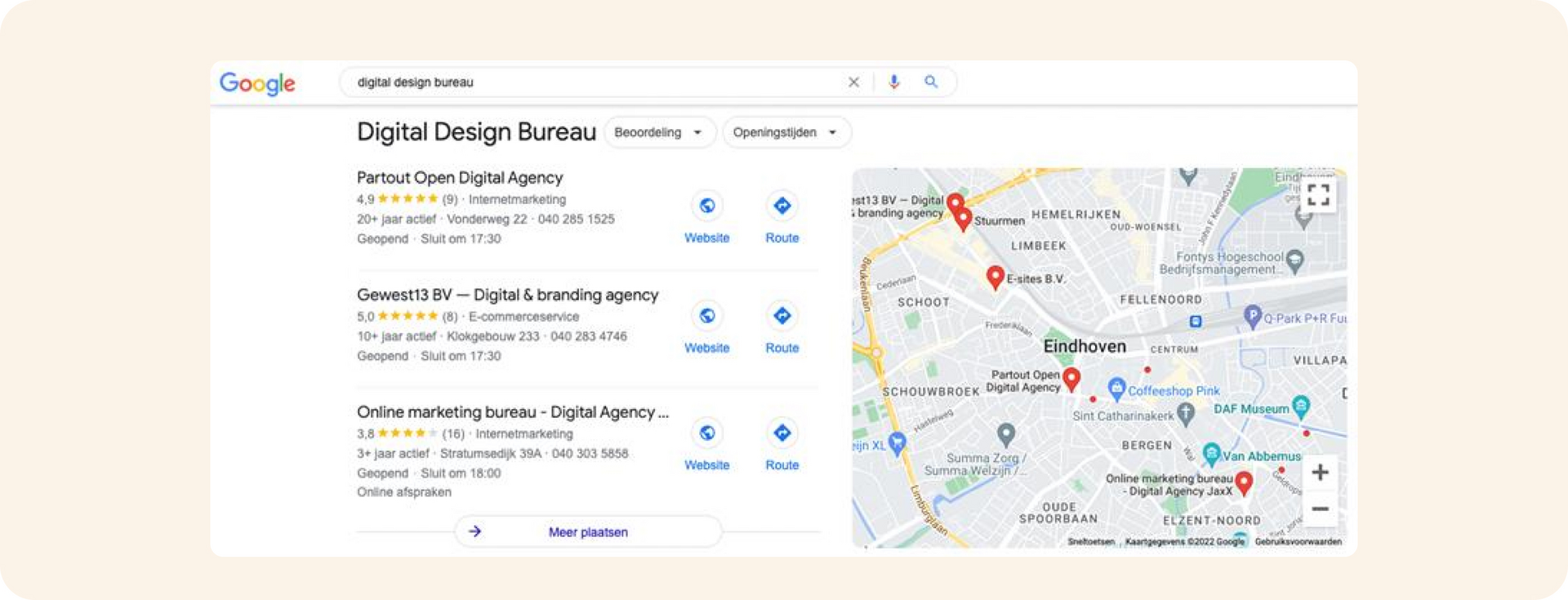
Here, too, the reviews stand out immediately. Reviews also play an important role in Google Maps.
2. In the Google Maps app
Google reviews can also be seen directly in the Google Maps app. That’s because Google has connected all its services. Say you’re in Eindhoven and enter Digital Agency in Google Maps, you’ll see the results below.
What do you notice?
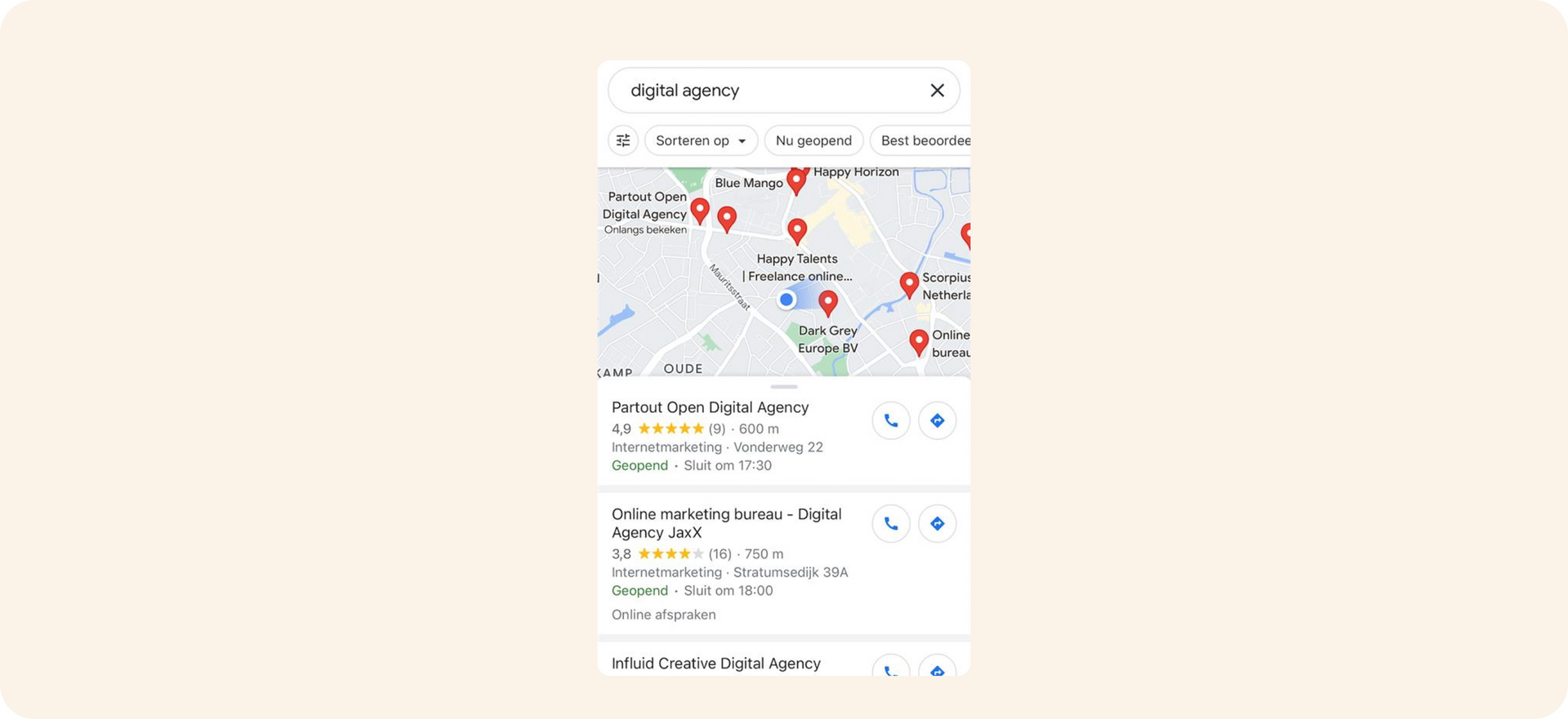
Partout is the first result, but not the digital agency closest to the person carrying out the search. The reason Partout still comes out on top has to do with its Google review rating, but also with various other SEO factors. Want to know more? Take a look at our SEO expertise page or get in touch with us.
How do I get more Google Business Profile reviews?
Before we explain how to get more reviews, there’s something you need to know: 73 per cent of consumers only trust reviews from the past month and 20-40 per cent only look at reviews from the past two weeks. That means it isn’t enough to receive lots of 5-star reviews; you need to keep working on it continuously, so your review profile is always up to date.
You can easily do this by keeping the barrier to writing a review as low as possible. People are often willing to write a review, but it should cost them as little effort as possible. A good example of a low-effort solution is a QR code. A QR code can, for example, link people directly to the review element in Google. Try scanning the QR code below.

You can easily place a QR code in various places. In the following steps we explain how to create a link (which you can optionally convert into a QR code yourself) that takes people directly to your company’s review element in Google, so you’ve already done these steps for your customer and the barrier to writing a review is much lower.
- First of all, the company or site needs a Google Business Profile account. Create a Google Business Profile account here. Does the company already have a Google Business Profile account but you don’t have access to it? Then go to the section "I don’t have access to the GMB account but still want to get reviews"
- Google your company name. If your GMB account is set up correctly, it will now be shown as below. Then click "Get more reviews".
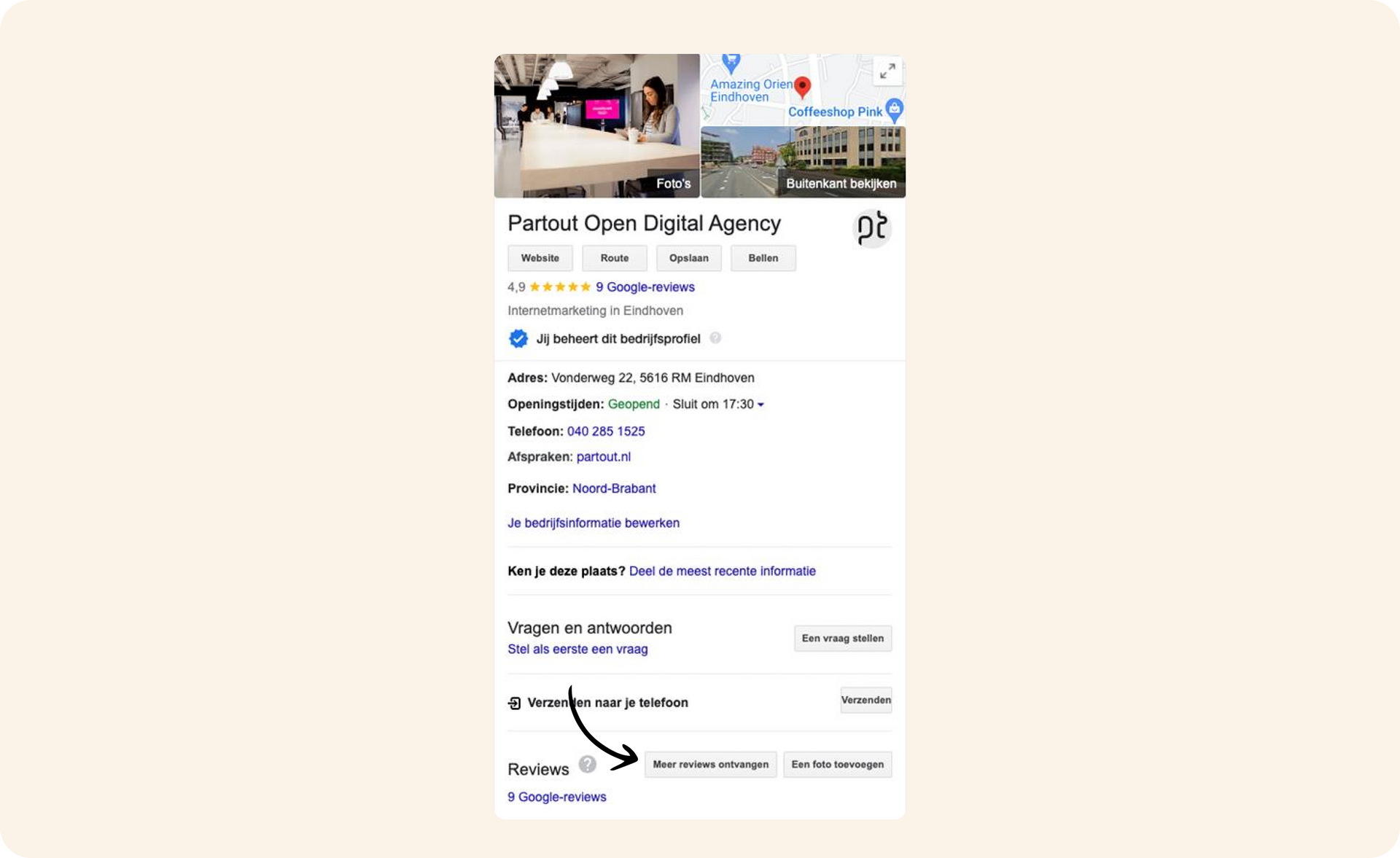
- The screen below will open, after which you can easily copy the URL that points to your review element.
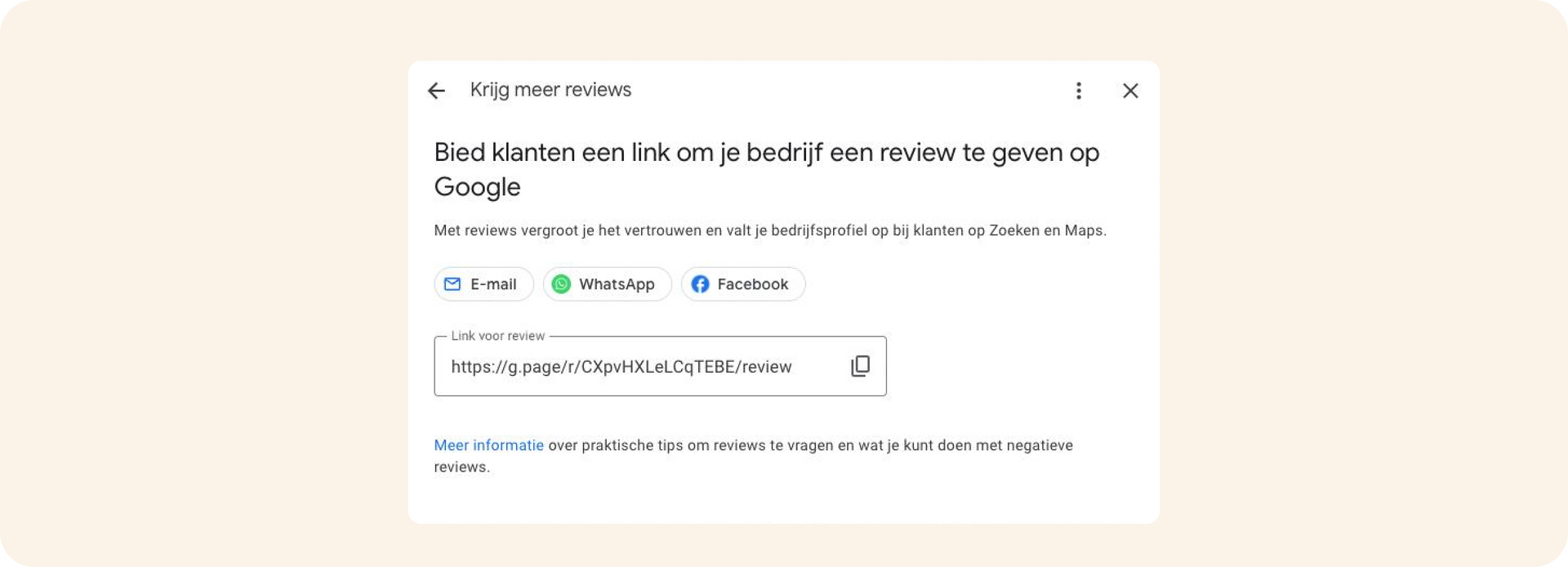
Skip the section below if you already have your URL but want to know more about shortening the URL, tracking the URL and converting it into a QR code.
I don’t have access to the GMB account but still want to get reviews
Even without access to the Google Business Profile account, it’s possible to get reviews. This works via a different method, but it’s just as quick and easy.
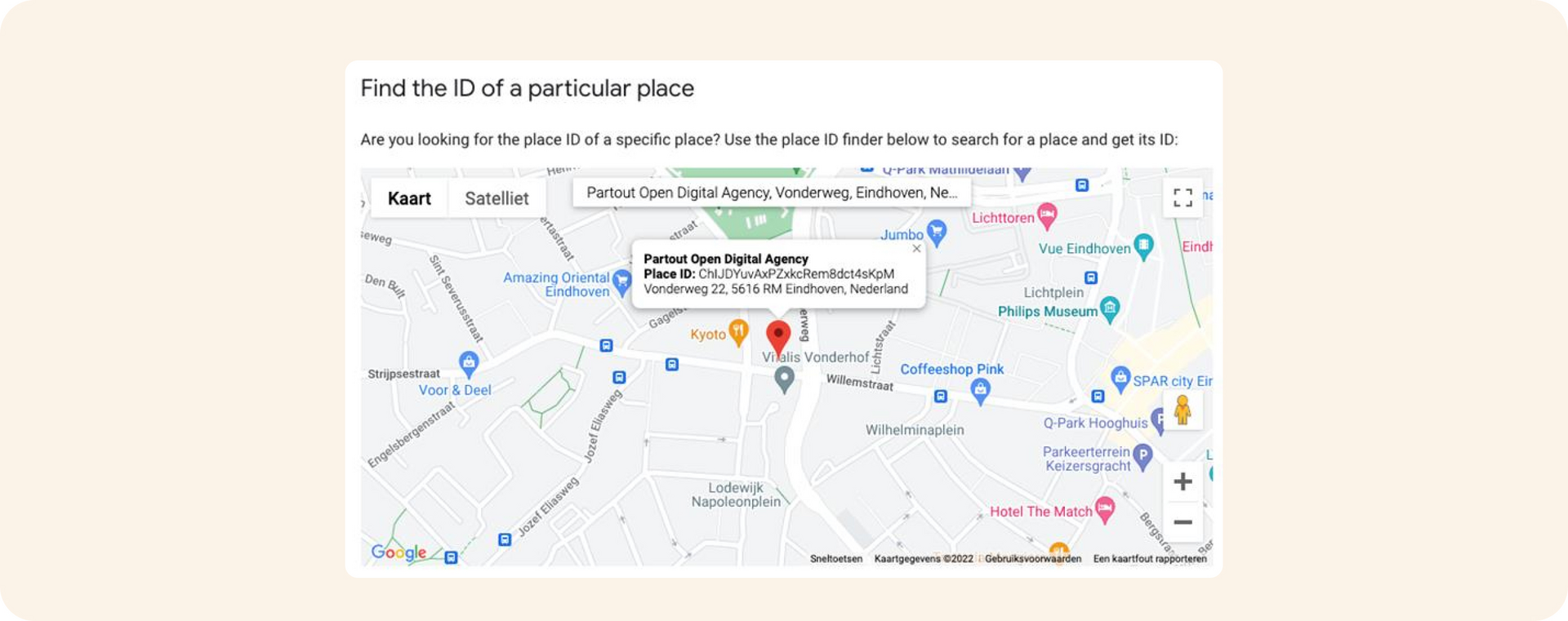
- Paste the ID after the following URL "https://search.google.com/local/writereview?placeid="; the resulting link points directly to your GMB review element.
Shorten your link or turn it into a QR code
You now have your direct link to the review element. As you may have noticed, it’s a long URL. You can make it more attractive in the following 2 ways:
- 1. Turn it into a bit.ly link. Ours is: https://bit.ly/3jetVUo As you can see, it’s already a lot shorter. In your bit.ly account you can also see how often the link has been used, which is handy too!
- 2. Create a QR code from the URL. You can easily do this via sites such as https://www.qr-genereren.nl/url.php
Loading Google reviews on your site
Got plenty of reviews you’re proud of? Then be sure to show them to your customers. You can easily load Google reviews on your own website and use them as testimonials. That has one important advantage: most visitors know and trust the Google review platform, so these ratings have more impact than reviews from an unknown system. By showing the reviews directly, you harness the power of social proof and increase the chance of conversion. Visitors don’t need to go to another platform to look up experiences and so they stay on your site. That reduces the chance that they drop off and buy elsewhere.
Working with WordPress? Then you can easily load the reviews. Install the Google Review widget and enter your Google ID – you looked it up earlier in this blog. The reviews will then appear automatically on your page. If you don’t have a WordPress site, you’ll need an API integration. In the video below we show you step by step how to set up the widget.
We are Partout
We are a B2B marketing agency in Eindhoven. We make sure B2B companies land on the shortlist of their ideal customers, especially in complex buying processes where others get stuck. We combine branding and demand generation so you become a brand in demand. Instead of just chasing leads, we build a brand that is seen, trusted and chosen.