
Blog
Blog
How do you create a Google Business Profile?

Evie van Rooij
Search marketeer
Published
30 October 2026
Reading time
11 min read
Creating a Google Business Profile is quick and easy! But there are a few things to keep in mind. What can you actually do with a Google Business Profile, and what do you need to know? We answer these questions here. So read on!
What is a Google Business Profile?
Google Business Profile is a free Google service where you can register your business. By creating a Google Business Profile (formerly known as Google My Business), you appear in various places in Google's search results, easily and for free. This helps your target audience find your business more easily.
The benefits of a Google Business Profile
The main benefit is that you can share a lot of information about your business, and you control it yourself. Google Business Profile also gives you extra ways to be found. Below, we list the main places where the information in your Google Business Profile is shown.
Knowledge graph
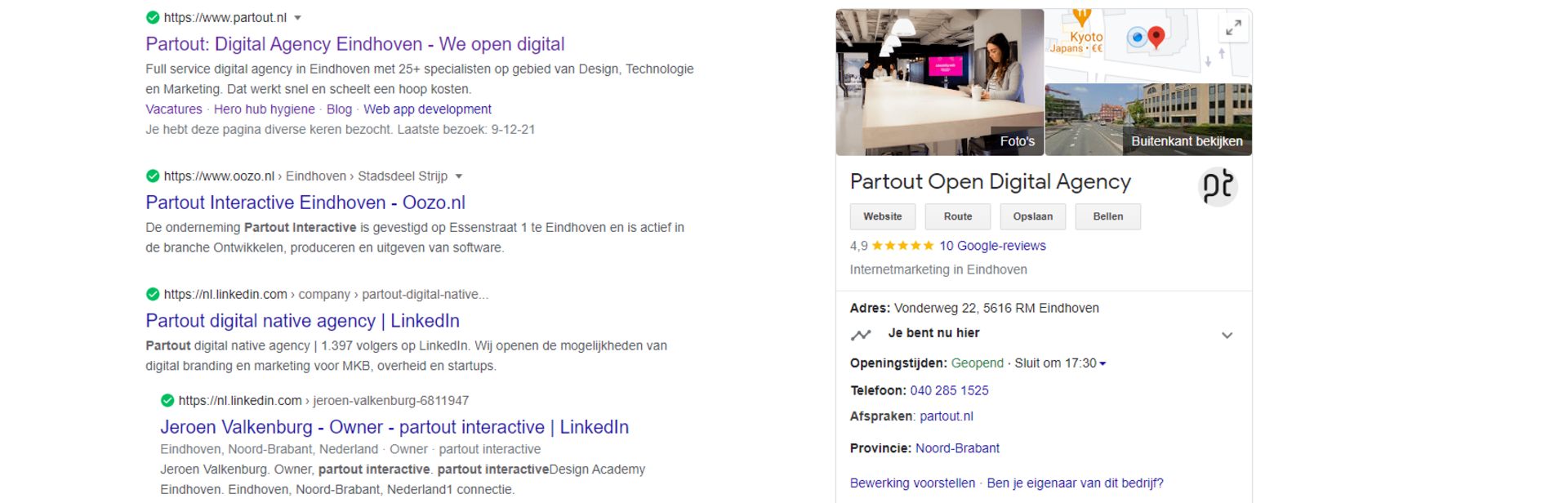
The knowledge graph is a kind of extra business card in Google. Searchers see the knowledge graph when they search for your business. In the knowledge graph you can include, among other things, your address and contact details, your opening hours and a link to your website. Your Google reviews are shown here too. Read our tips for getting more reviews on your Google Business Profile. The knowledge graph is a quick way to gain extra visibility in the search results, and it's easy to set up. All you need to do is fill in your Google Business Profile properly.
Local Pack
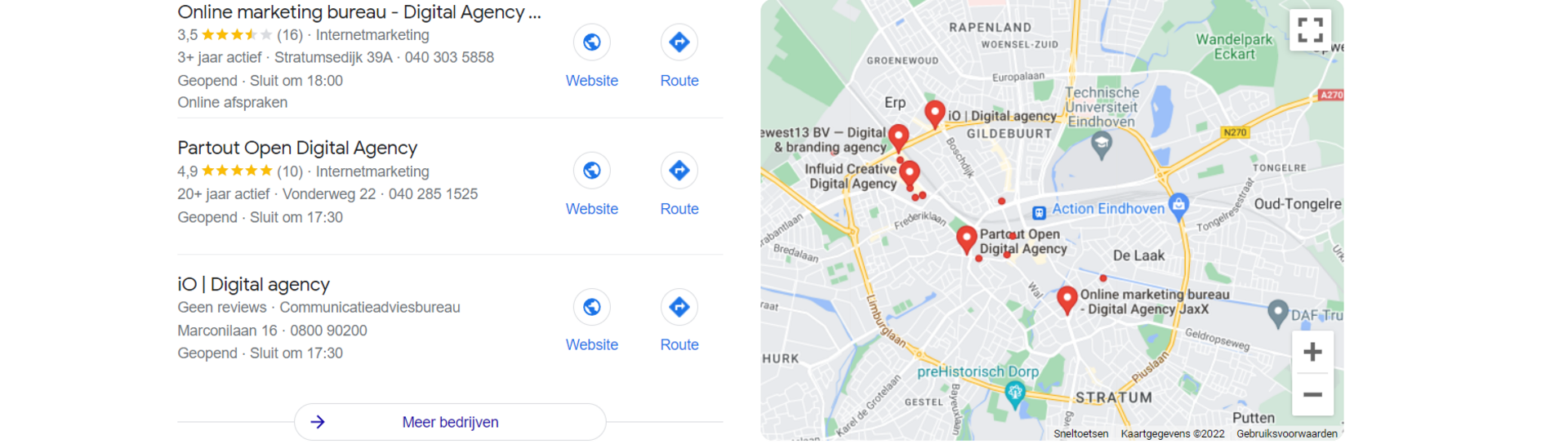
The local pack appears in Google's search results for local searches. If you're looking for an online marketing agency, for example, Google shows all the online marketing agencies near you. If you have a Google Business Profile and have filled it in properly (more on that later), you can claim a search result like that too.
Google Maps
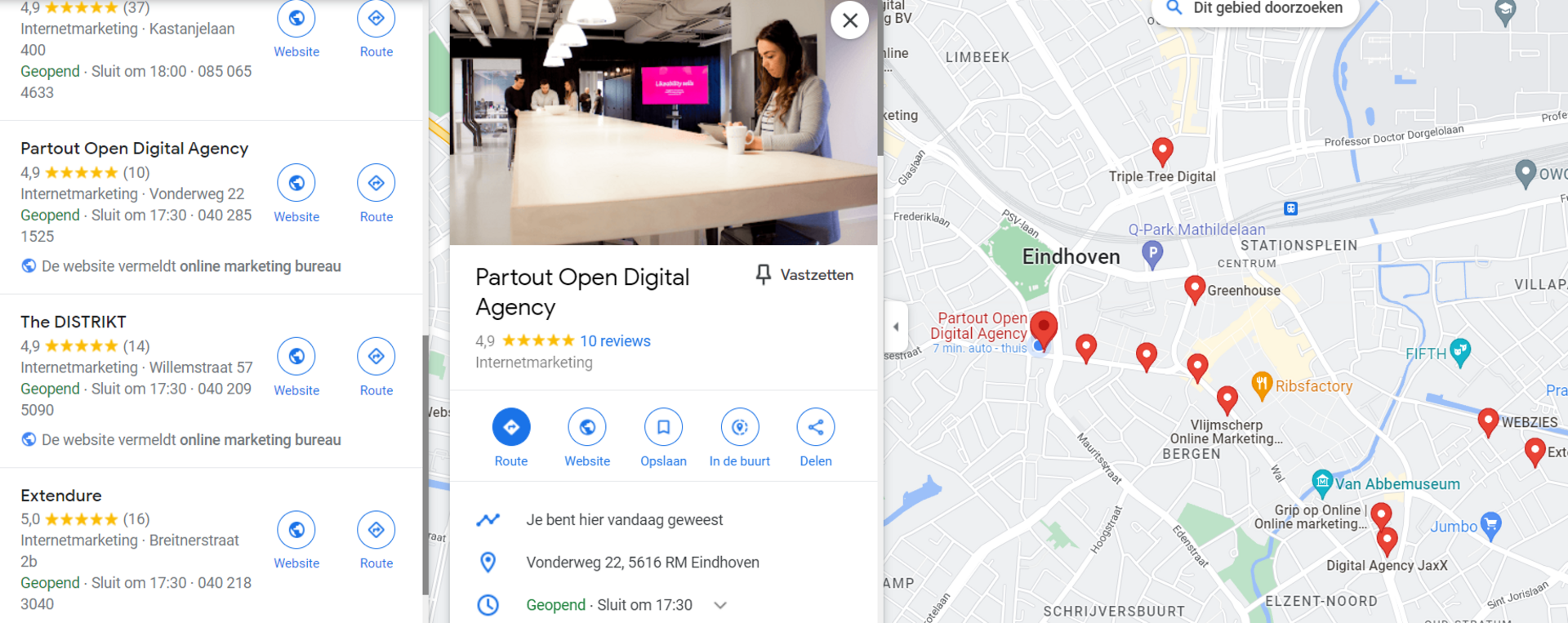
The Local Pack essentially shows the same information as Google Maps. That means your Google Business Profile also makes you visible in Google Maps. So if customers search for your business directly, all your details are easy to see. But even when they're looking for, say, an online marketing agency, your business is shown as a result!
Google Business Profile for local visibility
As the examples above show, a Google Business Profile is especially useful for local businesses. As a small local business, it's hard to break into the organic search results. A full SEO strategy would be overkill in that case. But do you want to be easy to find in your immediate area? Then a Google Business Profile can help a great deal.
Businesses with 1 local branch
For a small business with 1 branch, Google Business Profile is perfect! Do you own a florist in Eindhoven, for example? Then you mainly want to be visible to people in Eindhoven. By filling in your Google Business Profile as completely as possible, your florist will appear in the Local Pack, the Knowledge Graph and the Google Maps search results. Because Google knows your address details, your florist can be shown to the right people at the right moment.
Businesses with multiple branches
Google Business Profile is a godsend for businesses with multiple branches too. In that case, though, it's important to create a separate Google Business Profile for each branch. Do you own a chain of florists, for example, with branches in Groningen, Amsterdam and Maastricht? Then you want to be easy to find for visitors in all those cities. By creating a separate Google Business Profile for each branch, you make sure Google can show your florist to people in Groningen, and your Limburg branch to people in Maastricht.
Businesses with national coverage
Businesses with national coverage are mainly businesses that deliver nationwide or provide (digital) services. Do you have several distribution centres across the country and deliver flowers throughout the Netherlands, for example? Then your business counts as one with national coverage. Your address details aren't much use to people. In that case, the Knowledge Graph is the most you can get out of your Google Business Profile. People can then quickly see your opening hours and other business information. Still very handy, but less locally focused.
Creating a Google Business Profile
Creating a Google Business Profile really is quick and easy! So if you haven't claimed your Google Business Profile yet, do it right away!
Step 1: Claim your Google Business Profile
Go to the Google Business Profile Manager and check whether a Google Business Profile already exists for your business. Someone else may have created one for your business at some point; if so, you can find it here and claim access for yourself.

Step 2: Choose your business name and category
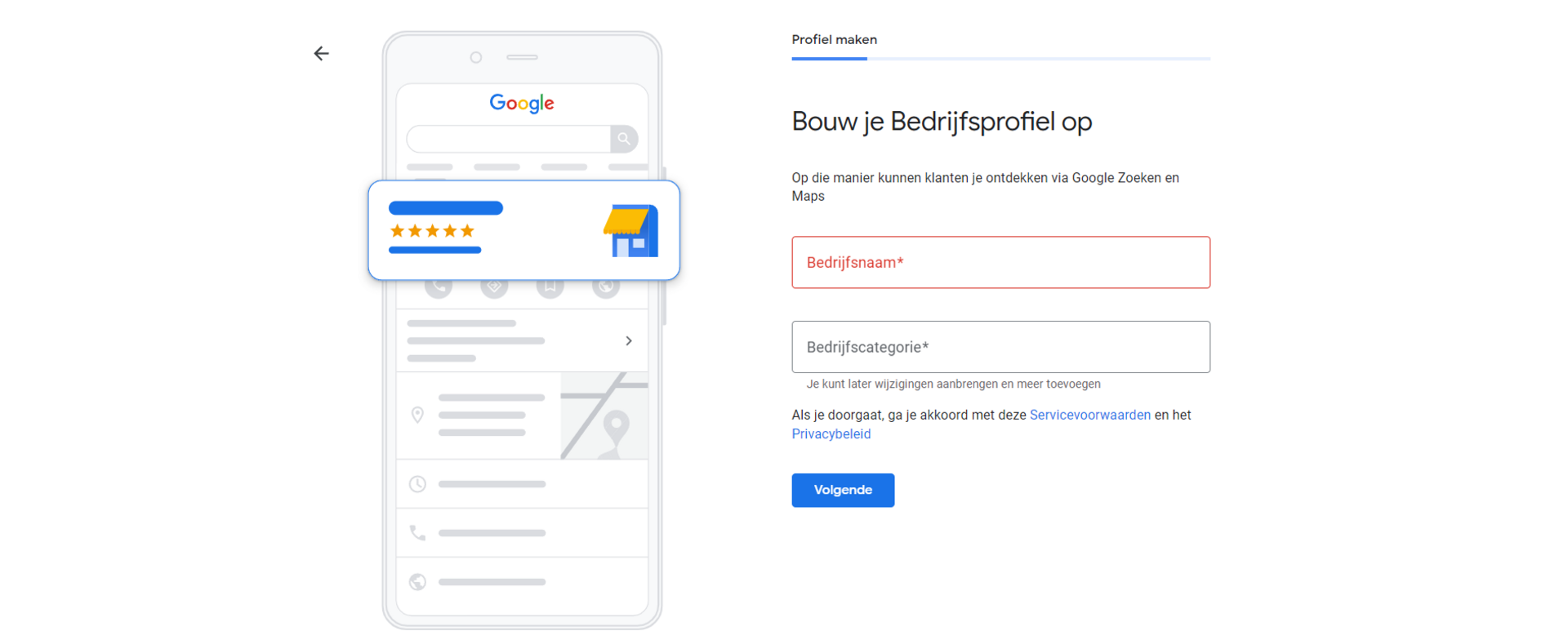
If you couldn't find a Google Business Profile, you can create one here. Enter your business name and choose the category your business falls under. These categories are predefined by Google, so you have to pick one from the list.
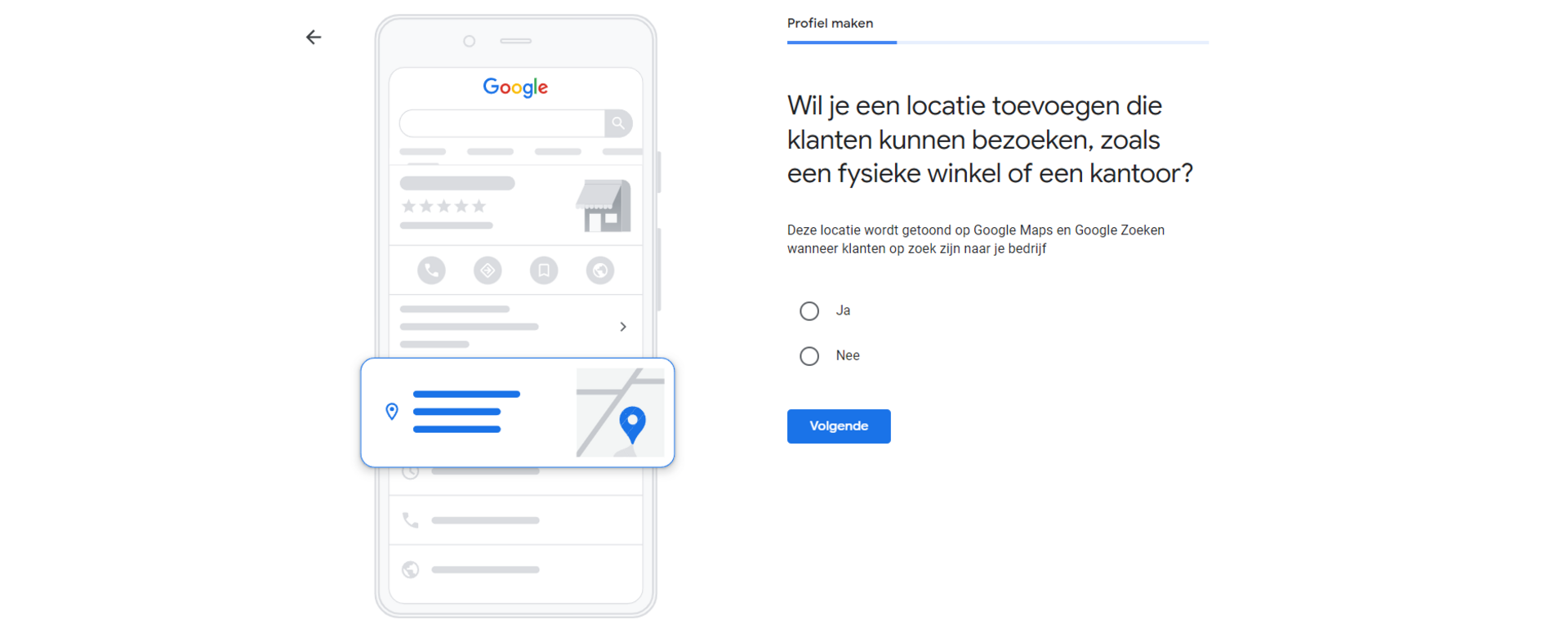
Step 3: Add a location (optional)
In this step, you add a physical location. If you have a shop or an office where customers are welcome, for example, you can indicate that here. If not, choose 'no' and move on to the next step.
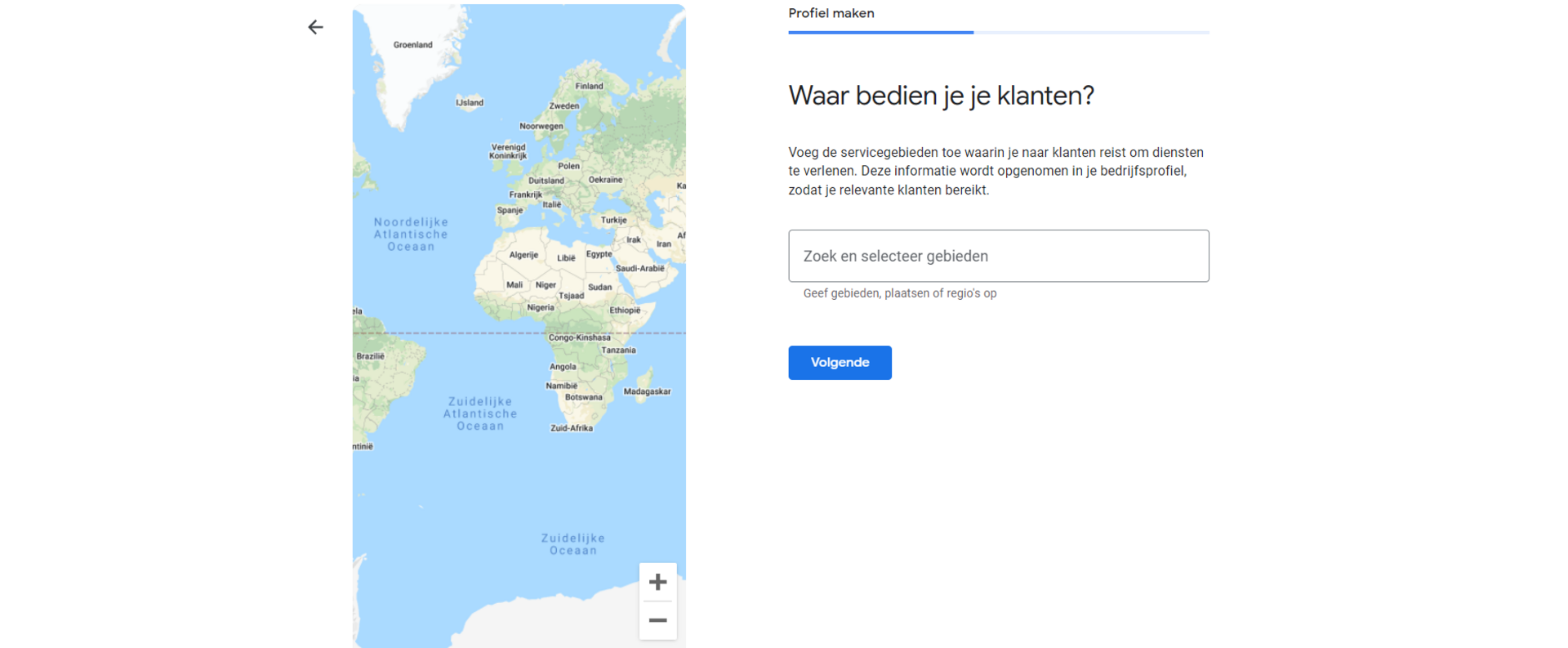
Step 4: Choose your service area
You may offer services that apply to a particular service area. You can specify that service area in this step. If you provide online services, for example, your service area may be the whole of the Netherlands.
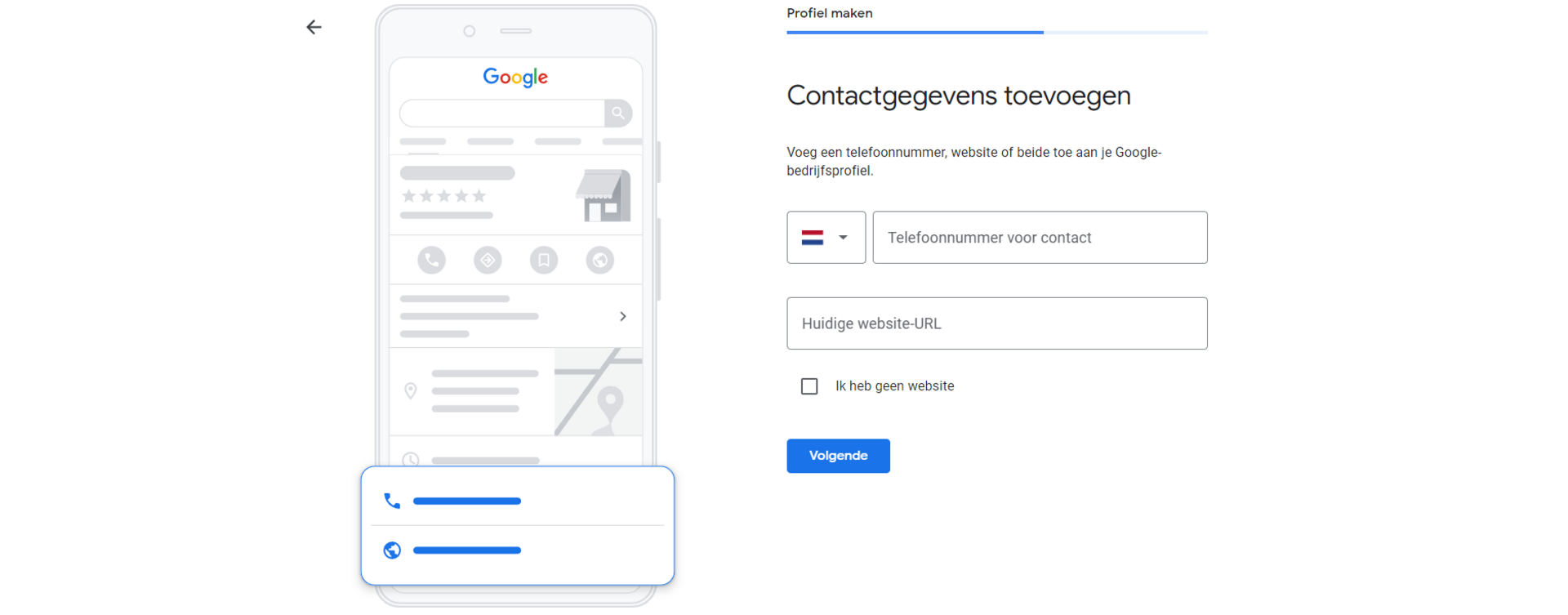
Step 5: Add your contact details
When your Google Business Profile is fully filled in, your contact details are shown conveniently in the search results via the knowledge graph. In step 5, you can enter all your important contact details.
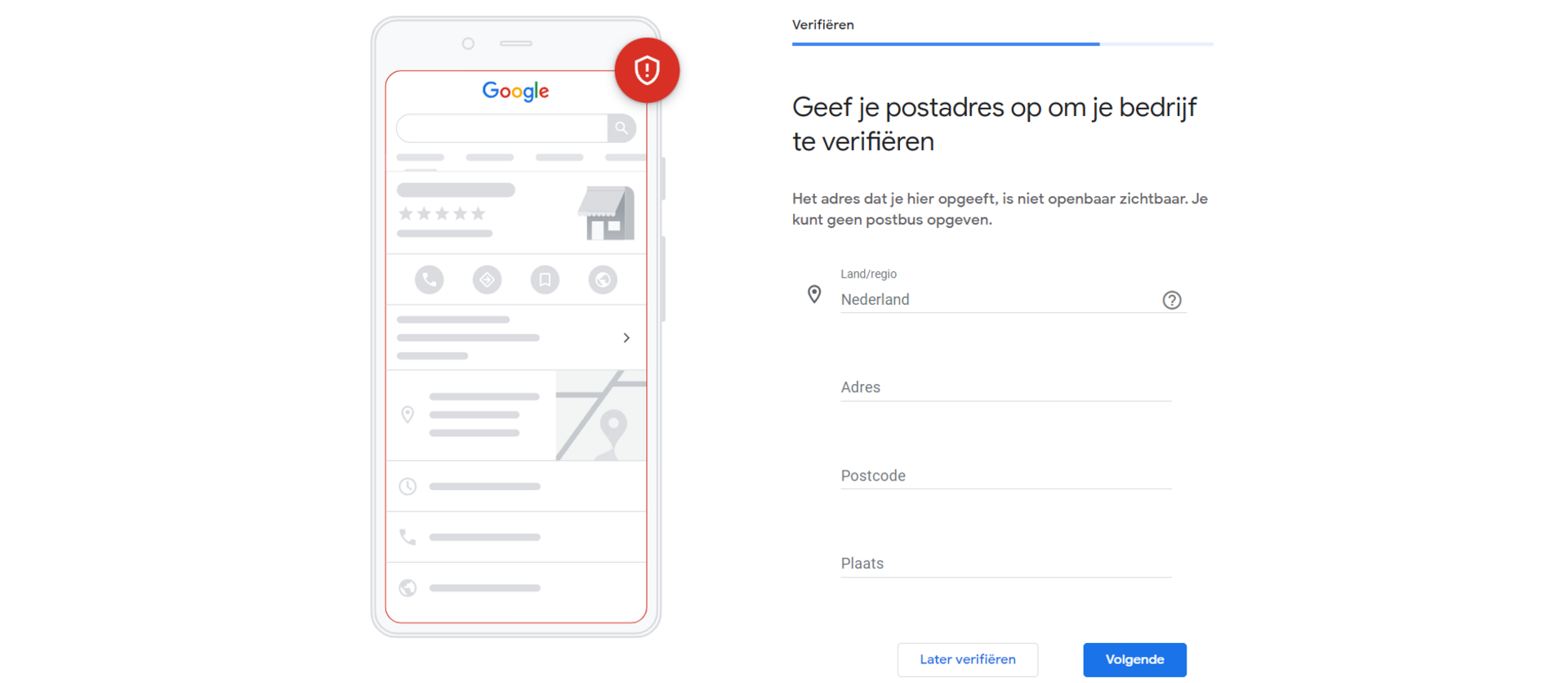
Step 6: Verify your business (very important!)
This may well be the most important step. If your business isn't verified, it won't be visible in the search results. And that's the whole point!
Verification can be done in several ways. It can be done by post: you receive a card with a code at the address you entered. Depending on your business type and location, Google sometimes offers other options too, such as phone, text message, email or even a short video verification.
Whichever method you use: as soon as you enter the code in your Google Business Profile, your business is officially verified and visible to the world.
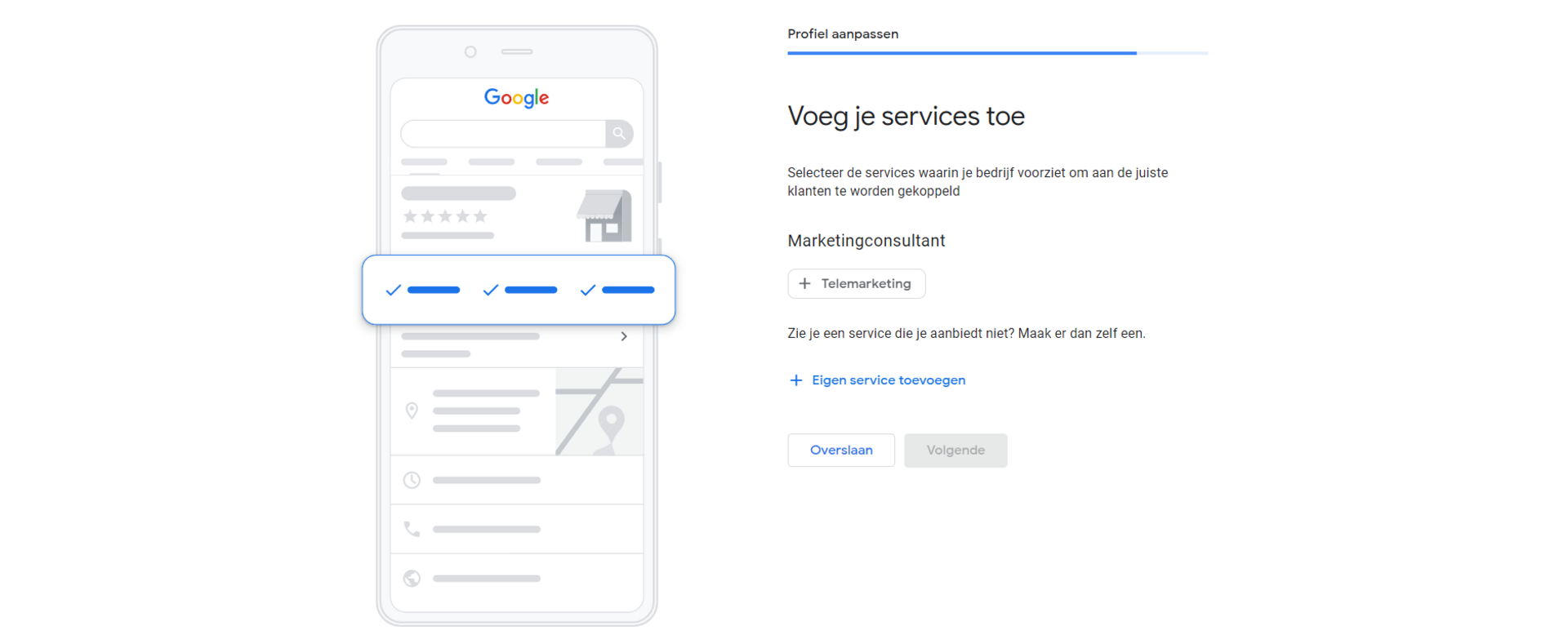
Step 7: Set up products & services
In this step, you set up your services. You can add several services, so be as complete as possible. Are there multiple terms for a particular service? Then you can add them all.
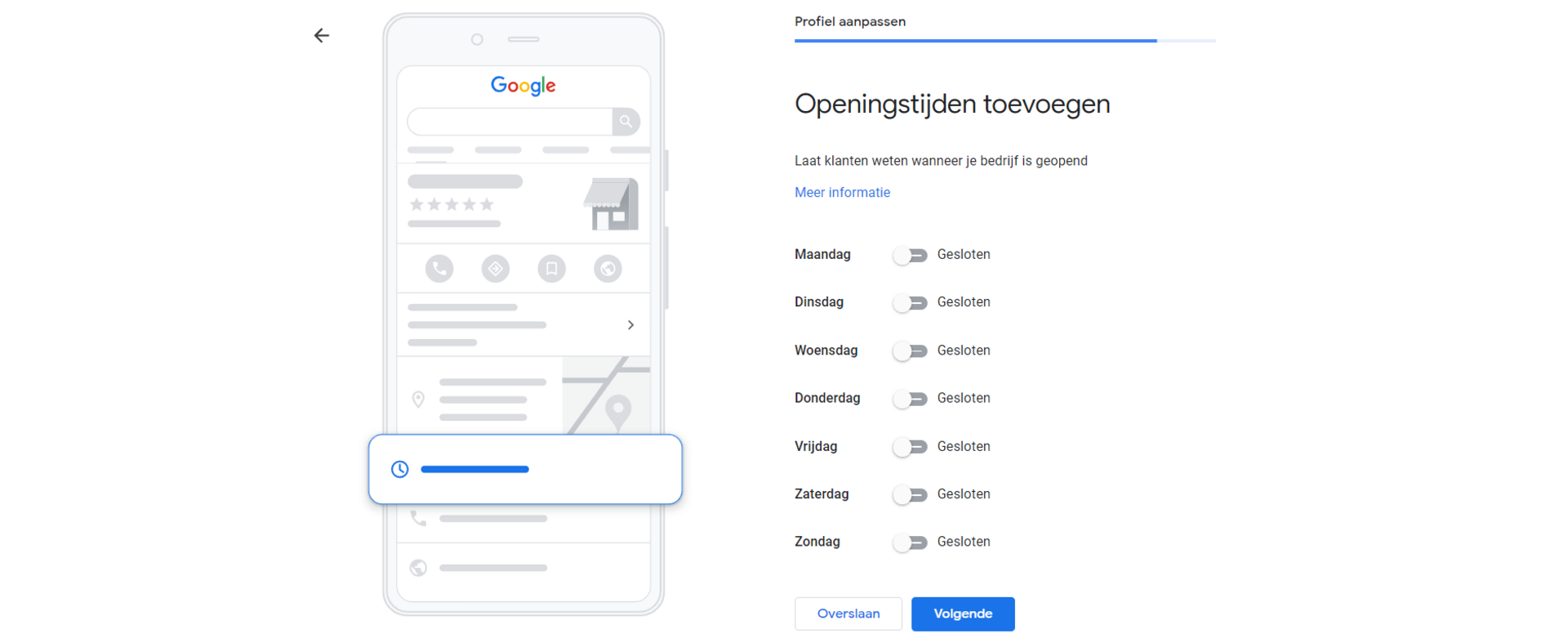
Step 8: Add your opening hours
Do you have opening hours? Add them here to make things as easy as possible for your potential visitors. Even if you run a webshop with customer service, you most likely keep specific opening hours. If you own an informational website without opening hours, you don't need to fill them in on your Google Business Profile.
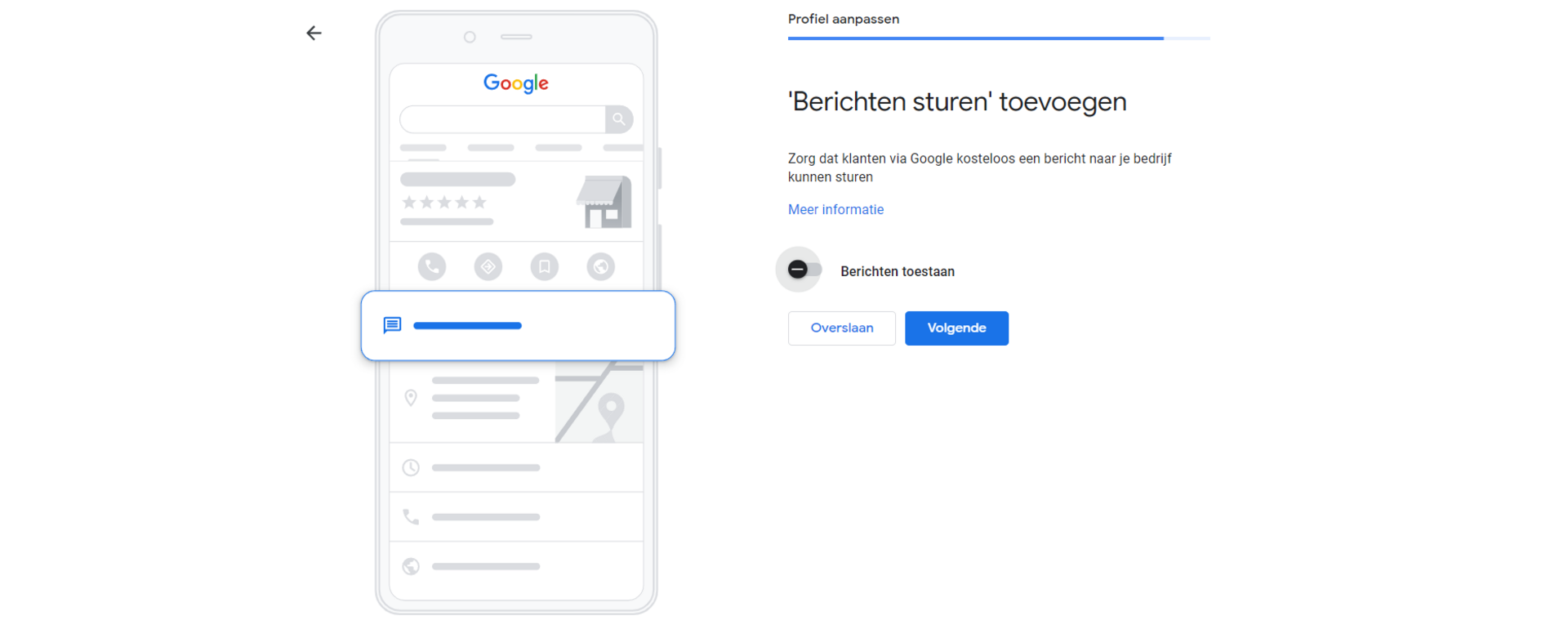
Step 9: Choose whether you want to receive messages
In step 9, you decide whether people can send messages to your organisation via Google Business Profile. This way you might receive questions, complaints or contact requests, for example. Only switch this feature on if you're actually going to do something with the responses. Otherwise you raise expectations you don't meet.
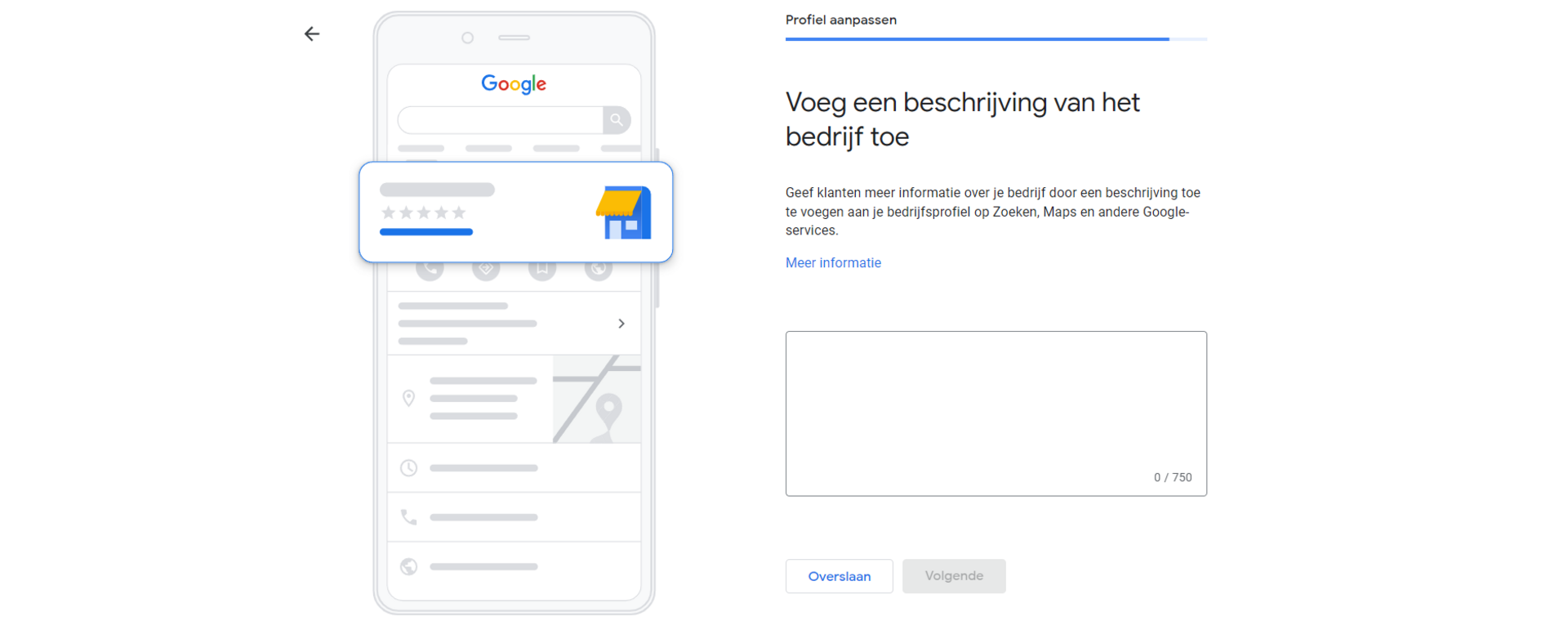
Step 10: Add a description
In step 10, you add a description. This is an important part. In this description, you want to explain what your business does. It's also important to write it in an appealing way: you want to convince people of your business and you also want to be easy to find in Google. In this description, it's best to use important keywords that your target audience uses. You probably already have an idea of these; if not, you could carry out (or commission) SEO keyword research.
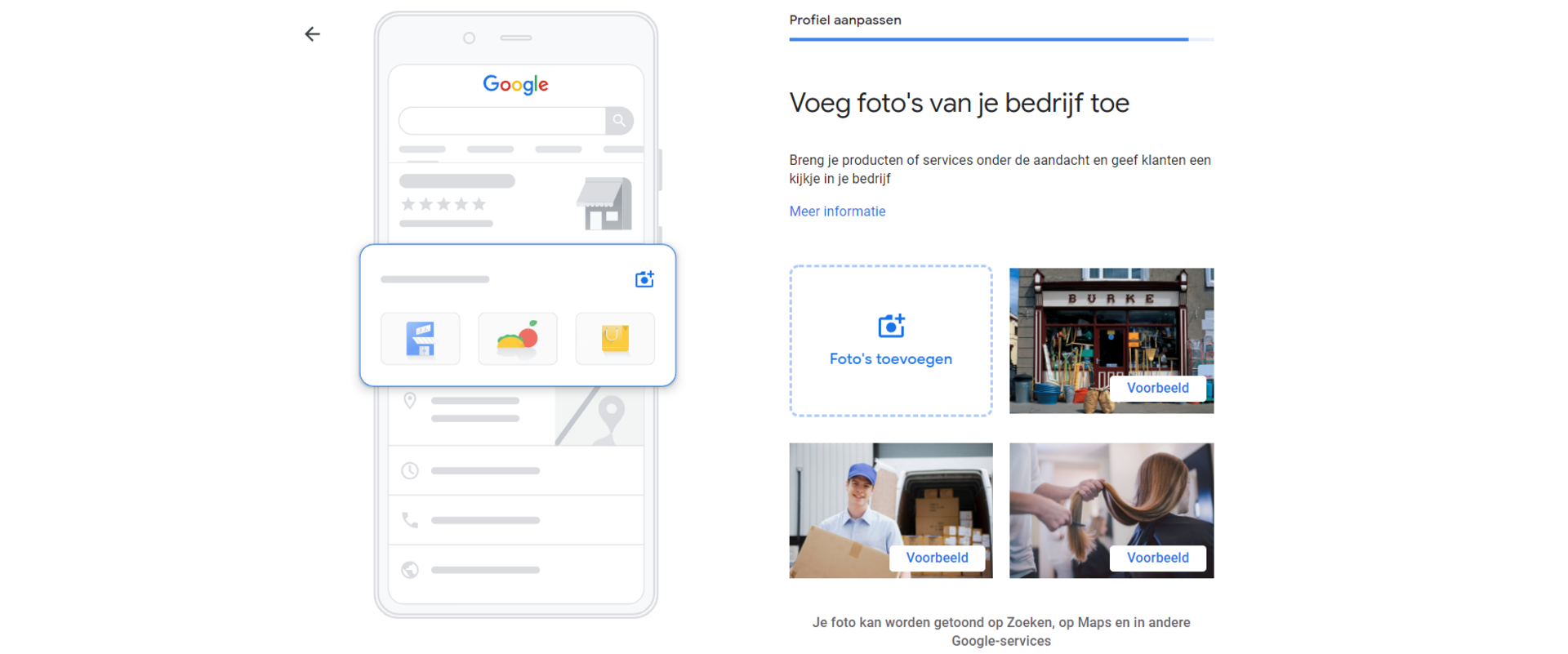
Step 11: Add photos
This step won't feel equally important for every business, but good photos can make a knowledge graph result in the search results a lot more attractive. Whether you add a good photo of your business premises, choose a nice interior shot or go for photos of your product(s), it gives your potential customer a good picture of your organisation. Do you run a one-person business? Then you could even add a photo of yourself so your potential customer can start building a connection with you straight away.
Filling in your Google Business Profile
A well-filled Google Business Profile not only looks better in the search results, it also makes you easier to find. And of course it's a good place to collect Google reviews, which you can then use to convince new customers. How a well-filled Google Business Profile makes you easier to find is all about SEO.
Google Business Profile and SEO
You can also optimise your Google Business Profile for better visibility. You mainly do this by making good use of keywords when filling in your Google Business Profile, but also by filling it in as completely as possible. If you use the same search terms in your services and description as your visitors use in the search engine, you're already 1-0 up on your competitors. To do this, though, you need to know which searches your target audience uses. You find that out by doing thorough keyword research beforehand.
Using your Google Business Profile
Once your Google Business Profile is properly set up, the next step is to actually start using it. You do this by publishing Google posts, adding events and, of course, answering your visitors' questions.
Interacting with your target audience
An important feature of your Google Business Profile is that it's transparent. You can share a lot of information about your own business, but other people can also share information about your business. They might do this in the form of reviews or questions, for example. So it's important to handle these well.
However good your customer service is, and however hard you try to keep all your customers happy, at some point you will get a negative review. And at that moment, what matters most is how you deal with it, because your entire target audience can see it. So never leave reviews unanswered, and respond to everything in a polite and professional way. Even if you don't agree with the review. By posting a good solution in response to a negative review, you show that you're service-minded.
The same goes for questions: answer them all. Everyone can read along, and by giving the answer yourself, you stay in control of the information others see. It also shows that you're engaged as an organisation or entrepreneur. An overview with clear, polite answers contributes to a professional and trustworthy image.
Monitor & analyse
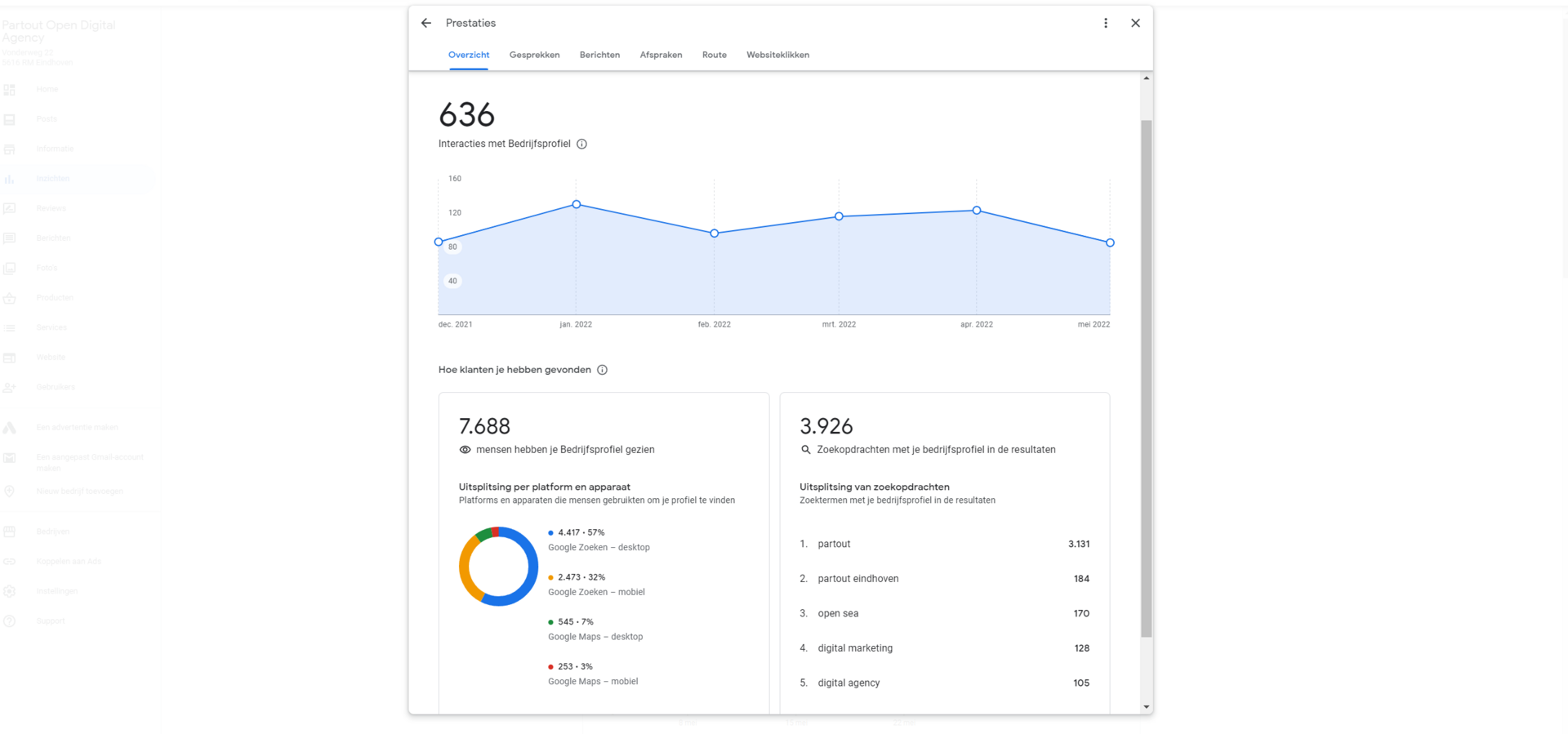
An extra benefit of Google Business Profile is that you have access to handy statistics. You can see exactly how people interact with your business listing. You see what they look at and what they click on. That gives you valuable insight into where your target audience's interests lie. You can then respond to that with the information in your Google Business Profile.
Optimise for local visibility
Google Business Profile is perfectly suited to local searches for local businesses. Through Google Business Profile, you're also shown in Google Maps, with much of the information you filled in yourself. If you have a local business and depend on local customers, Google Business Profile is ideal for reaching that local audience.
For this, it's important to set your service area correctly. Google makes good use of it to show local entrepreneurs to local searchers. The descriptions of your services, products and business can also help you become more visible locally. By mentioning your service area (city or region) in them, possibly several times, you make it clear to both Google and your visitors that you're a local business.
Of course, there are more ways to use Google Business Profile (locally) for better visibility. Feel free to get in touch with us to talk through the possibilities.
We are Partout
We are a B2B marketing agency in Eindhoven. We make sure B2B companies land on the shortlist of their ideal customers, especially in complex buying processes where others get stuck. We combine branding and demand generation so you become a brand in demand. Instead of just chasing leads, we build a brand that is seen, trusted and chosen.